Stop Using Your Keyboard and Start Using Handy, a Free Speech-to-Text App
“In recent years AI models like Nvidia's Parakeet and OpenAI's Whisper, both open source, have made great strides in turning human voices into text. Both excel at correctly adding things like punctuation and capitalisation, and you can run them right on your computer. The problem? They're both a little complicated to set up. That's where Handy comes in. This is a dead-simple, totally free application that can set up either of these models on your computer and give you a keyboard shortcut to use it.”
So whilst Handy may work well on some other desktop environments on Linux, I had quite a few issues trying to get it to work on Wayland. For a start, I had to run an environment variable before it would actually even display the window (WEBKIT_DISABLE_DMABUF_RENDERER=1 ). The suggestion to use wtype for the paste insertion did not work for me under Wayland at all as it gave this: `[ERROR] Failed to paste transcription: wtype failed: Compositor does not support the virtual keyboard protocol`. I had to use the one called dotool.
When I tried to use the direct paste method, it kept chopping off the first character, but did insert it where it was supposed to be. In the end, I found the best thing that actually worked was to use no paste method, and I just press control V myself after I finished speaking. So for this to work, you also want to change the setting for Clipboard Handling from Don't Modify to Copy to Clipboard.
It's really not ideal, but I must admit, I suppose if you've got quite a bit that you need to type, then it actually can be quicker to use handy and just do one or two basic edits. For other types of text entry though, it might still be better to be able to have that precise control you have when typing on a keyboard.
For other types of text entry though, it might still be better to be able to have that precise control you have when typing on a keyboard. I've actually dictated this post using Handy to enter the text here. And I must say that the grammar and everything is quite precise with all the commas in the right places and so on. So yes, it can actually save you a bit of time. Even when you need to pause to think, it actually removes that, or should I say, just dictates it correctly without the pauses. So for me that's quite handy because I pause quite a bit to think sometimes, and that might not work with some voice dictation, especially if they think you've got to the end you know of your sentence. But also from this you can see it does become a bit long-winded when you're thinking aloud. So still I probably might just revert to anyway just using my keyboard for text entry.
But your mileage may vary. There are versions offered for Windows, macOS, and Linux.
See
https://www.wired.com/story/handy-free-speech-to-text-app and their GitHub project at
https://github.com/cjpais/Handy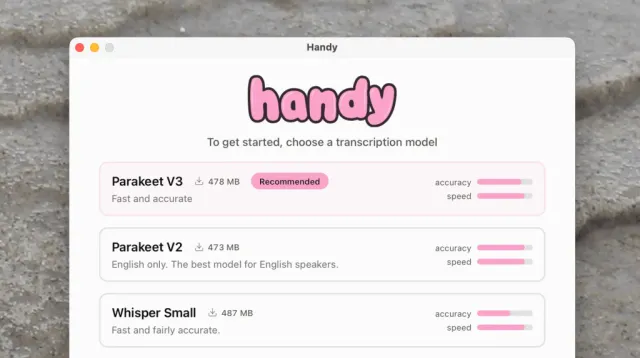
#
technology #
opensource #
dictation

 Like Us
 Support Hubzilla